

SmartMeet
SmartMeet is the AI in every Sonar call. Depending on what you switch on, it translates the conversation live, shows captions, writes a transcript, and turns that transcript into a summary, a sentiment reading, a task list and a running summary for each contact. Damage analysis is a module of its own: it looks at what the camera shows and identifies the damage, what kind it is and where it is.
Everything SmartMeet does is configured in one place, the Smart Meet page in Application Setup, and applies across portals and channels. Nothing needs to be switched on per portal or per channel any more.
The eight modules
Pick a module to see how it works and where to switch it on.
- Live audio translation Each side speaks their own language.
- Closed captions Live subtitles in each participant's language.
- Transcription The whole call, word for word.
- Summary What was discussed and agreed.
- Sentiment analysis How the customer sounded.
- Damage analysis Finds the damage, what it is and where it is.
- Tasks What was promised, as a checklist.
- Contact summary Every call with a customer, in one paragraph.
How long results are kept, who may read a transcript and whether guests are asked for consent is covered under Data retention & consent.
The Smart Meet page
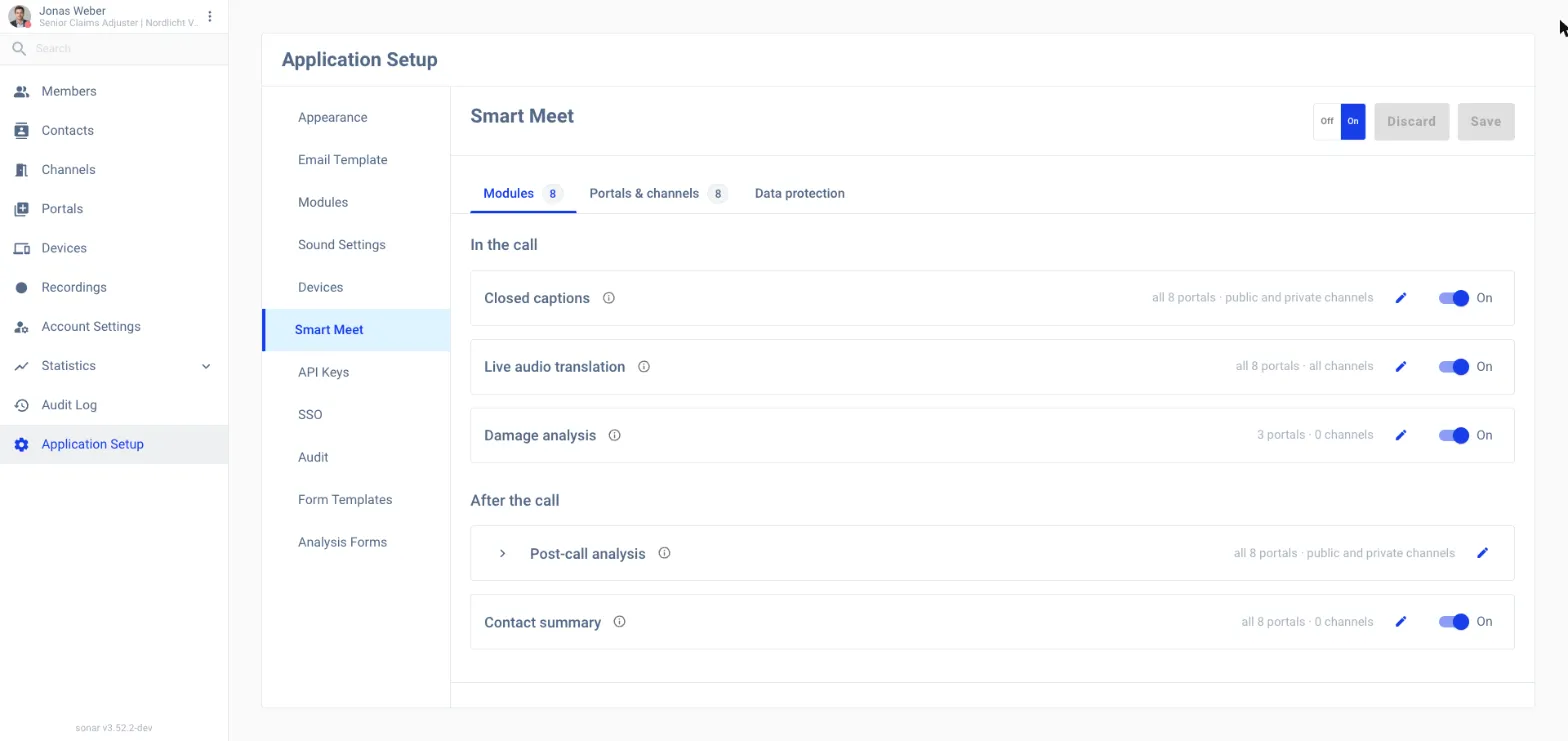
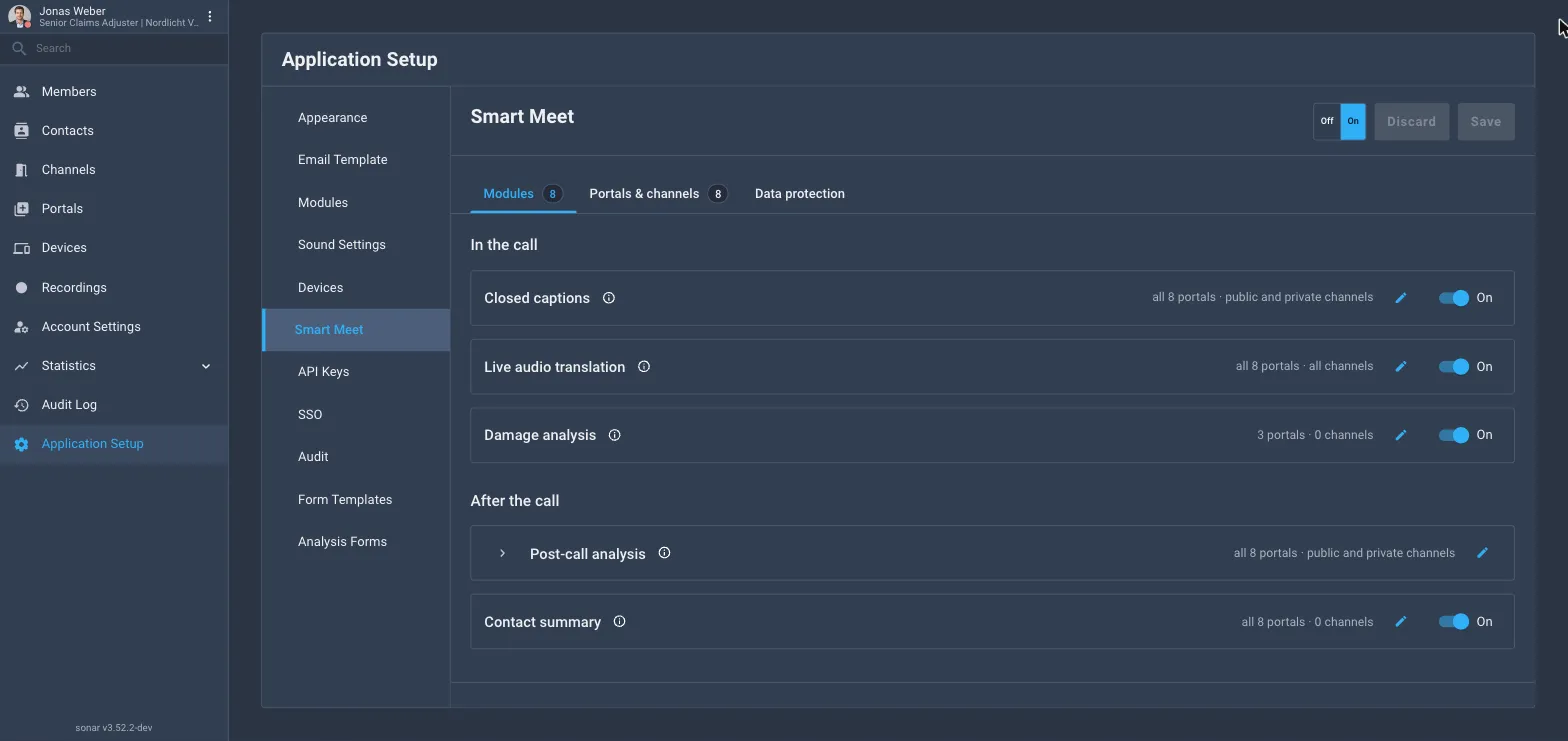
Admins open Application Setup → Smart Meet. The page has an Off/On master switch in the header, next to Discard and Save, and three tabs.
Master switch
Switching Smart Meet Off stops every module everywhere; your per-module settings are kept and come back when you switch it On again. Like every other change on this page, nothing is applied until you press Save.
Modules tab
Modules are grouped by when they run:
- In the call: Closed captions, Live audio translation, Damage analysis.
- After the call: Post-call analysis (Transcription, Summary, Sentiment analysis and Tasks, which all work on the same transcript) and Contact summary.
Each row has a one-line summary of where it runs (for example all 8 portals · public and private channels), a pencil to change where it runs and an On/Off switch. Post-call analysis is configured as one unit: the pencil sets where the transcript is made, and expanding the row shows a switch for each of its four modules.
A row can be greyed out for one of three reasons:
| Reason shown | Meaning |
|---|---|
| Not in your licence | The module isn’t part of your Sonar licence. Ask your Sonar contact to add it: your settings are kept. |
| Needs Transcription | Summary, Sentiment analysis, Tasks and Contact summary are built from the transcript. Switching Transcription off switches them off too; their portals and channels are remembered. |
| On, but not running | The module is on, but no portal and no kind of channel has been chosen yet. Use the pencil to choose where it runs. |
Where a module runs
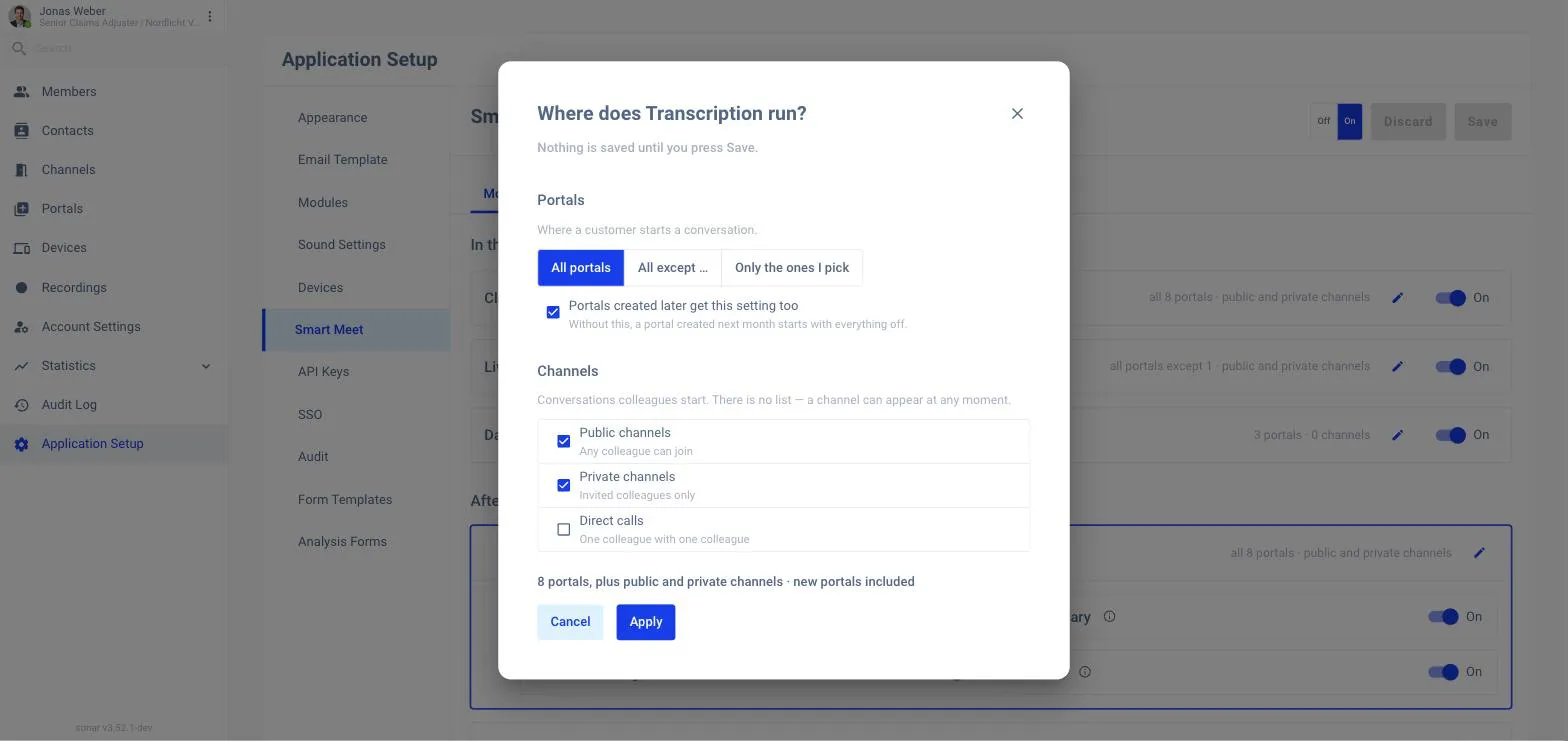
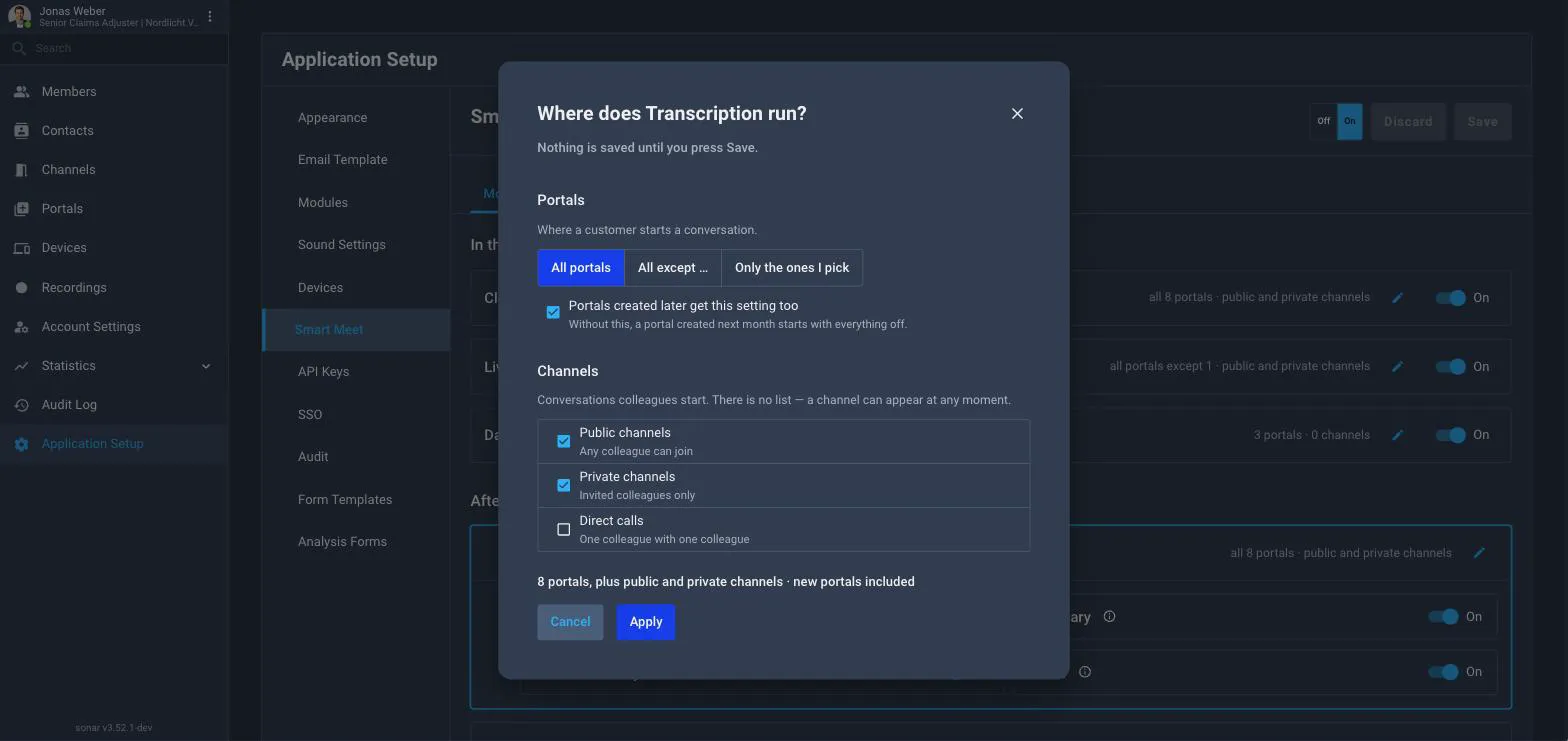
A module does not store a list of portals, it stores a mode plus an exception list, so a portal created next month needs nothing written:
- All portals: runs everywhere, including portals created later.
- All except …: runs everywhere except the portals you tick.
- Only the ones I pick: runs only in the ticked portals. The checkbox Portals created later get this setting too decides whether a new portal is added automatically; without it, a new portal starts with the module off.
Channels are chosen by kind, not by name, because colleagues create them at any moment: public channels, private channels and direct calls. Device calls inherit the settings of their portal.
Portals & channels tab
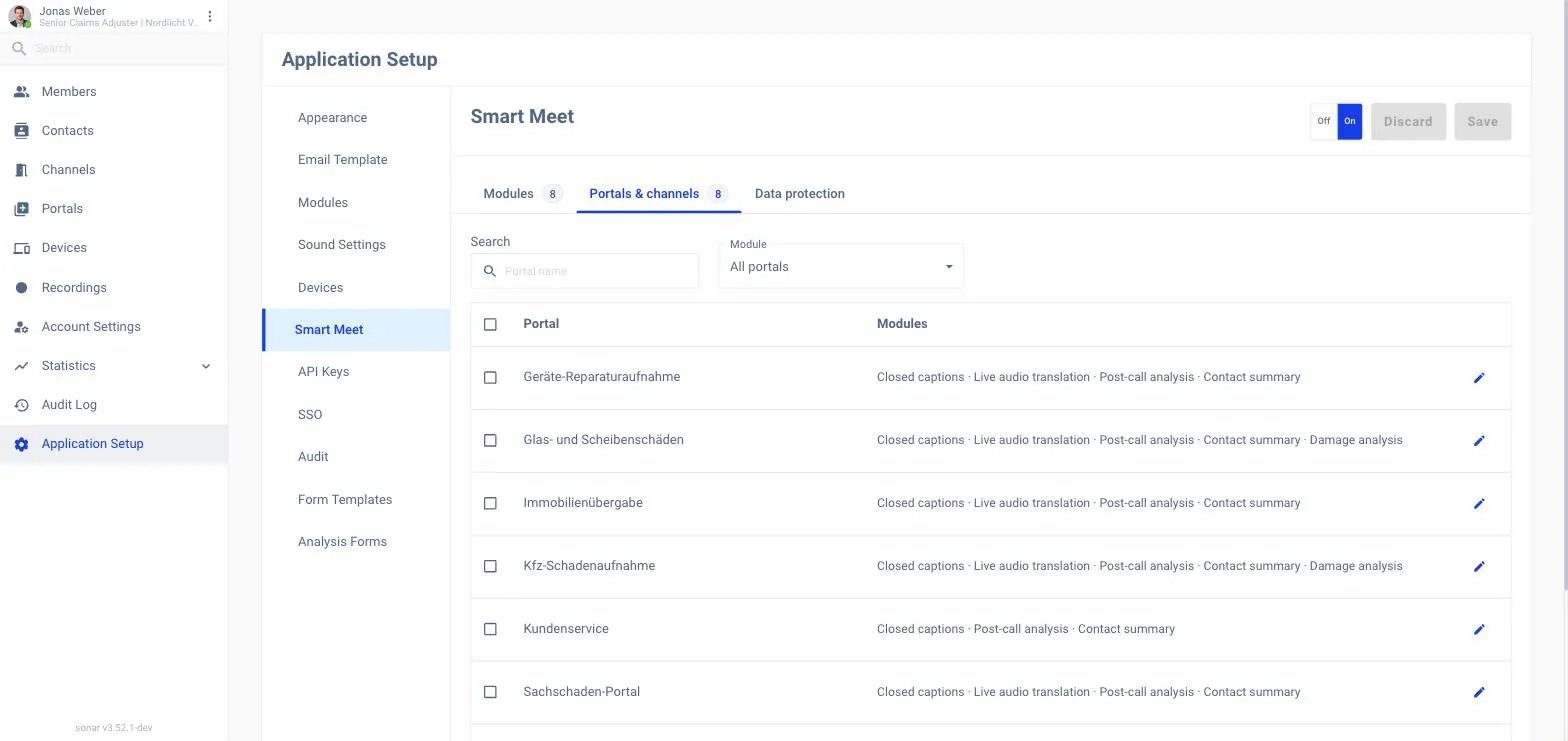
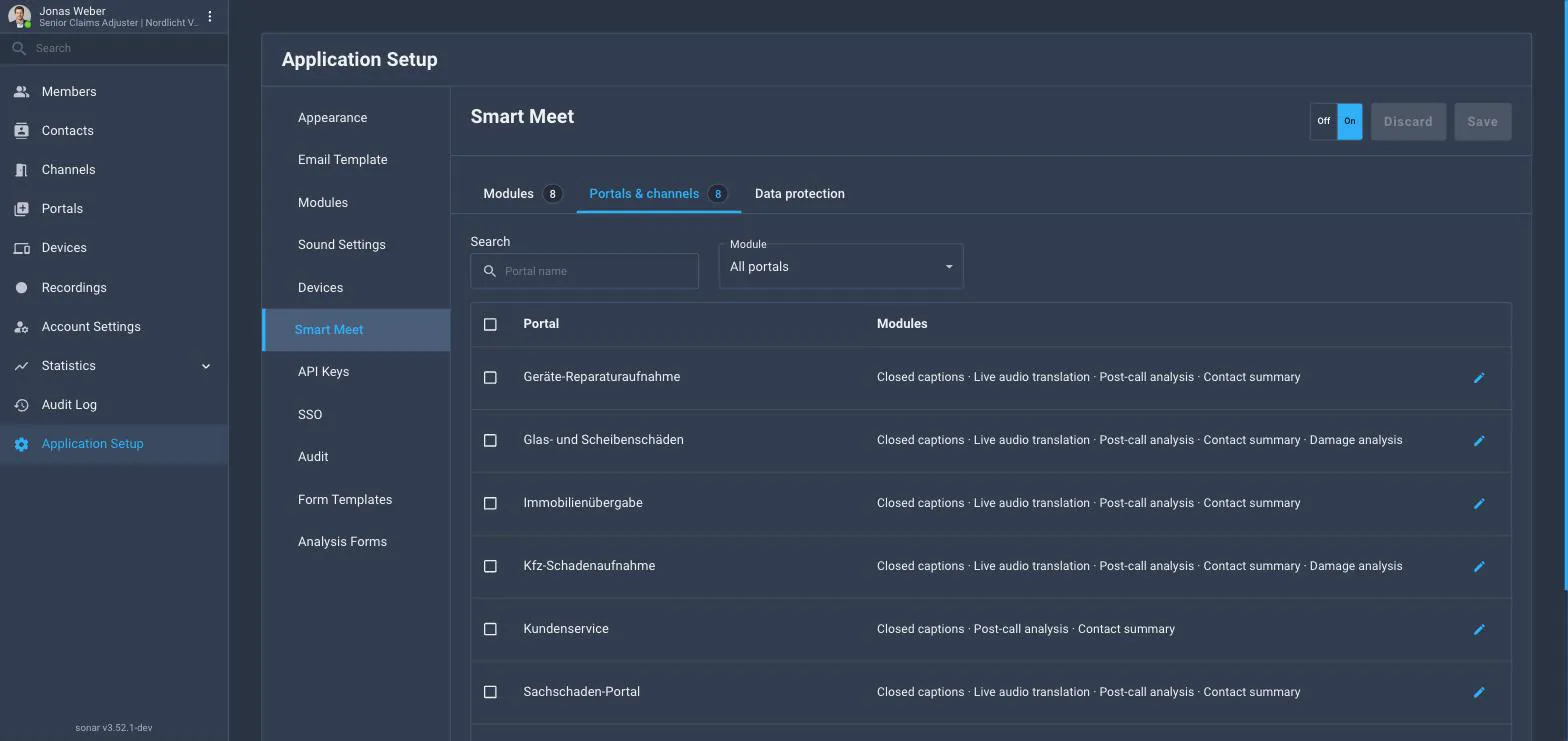
The same settings from the portal’s point of view: one row per portal listing which modules run there, a search by portal name, a Module filter to show only the portals where a given module runs, and a pencil to switch modules for that one portal. Tick several portals and a bar appears with bulk actions: Modules turns a module on or off for all of them, Copy from… copies the module set of another portal.
Data protection tab
Guest consent, how long stored results are kept and who may open a transcript. See Data retention & consent.
What the customer sees
-
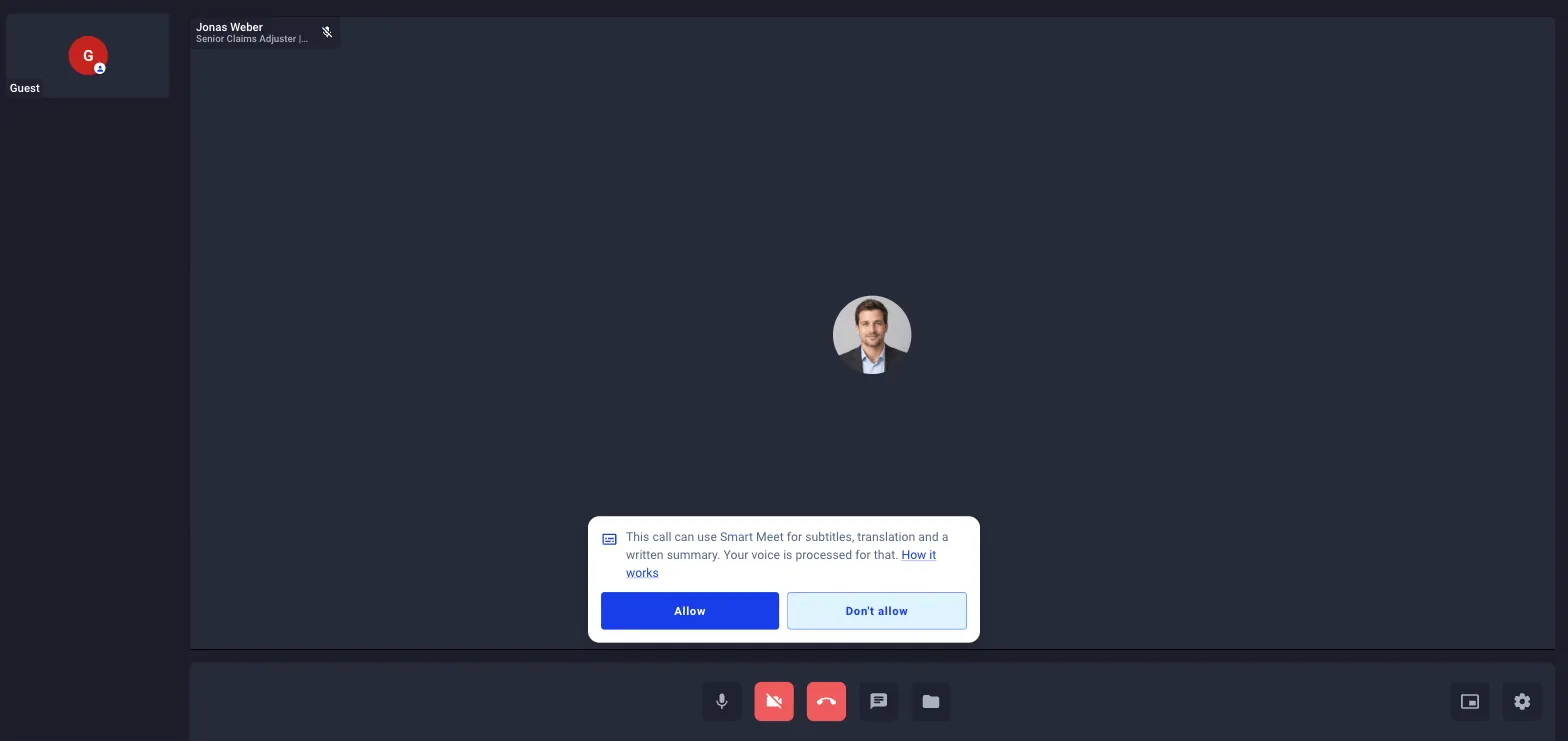
Consent. If Ask the customer for consent is on (the default), every guest is asked at check-in or in the call whether what they say may be used for subtitles, a transcript, a summary and translation. Nothing reaches SmartMeet until every guest has allowed it; one Don’t allow keeps it off for that call and the agent cannot override it. Each answer is stored on the call record.
-
Spoken language. Where captions or translation run, the guest is told which language the agent speaks and offered to switch their own spoken language so they receive subtitles or translated audio. The agent’s language is the portal’s or device’s spoken language, prefilled from its country and editable in its settings.
-
In the call. Captions and translation are available from the call controls only where the back office switched them on for that portal or channel type, the answer is resolved once when the call starts.
Where Smart Meet shows up
Smart Meet is not one screen. Depending on who you are, you meet it in these places:
For agents
| Place | What you see |
|---|---|
| In the call: Active call panel, own participant menu → Translation Settings | Your spoken language, Closed Captions and Audio Translation switches |
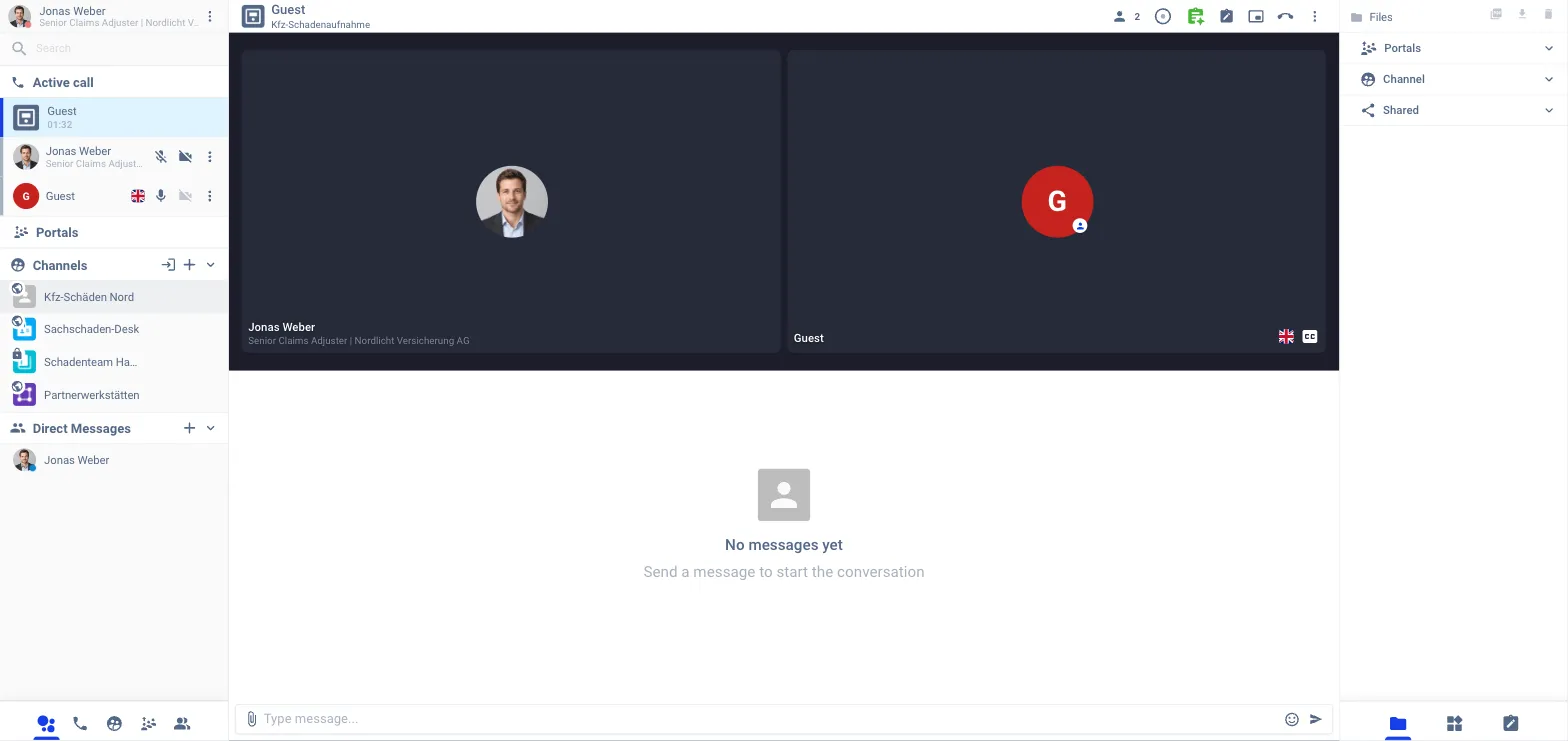
| In the call: header | The green Smart Meet badge while transcription runs; click it to switch it off for this call |
| In the call: over the video | Captions as an overlay with the speaker’s name |
| In the call: Widgets → Damage analysis | The damage analysis module on the main stage |
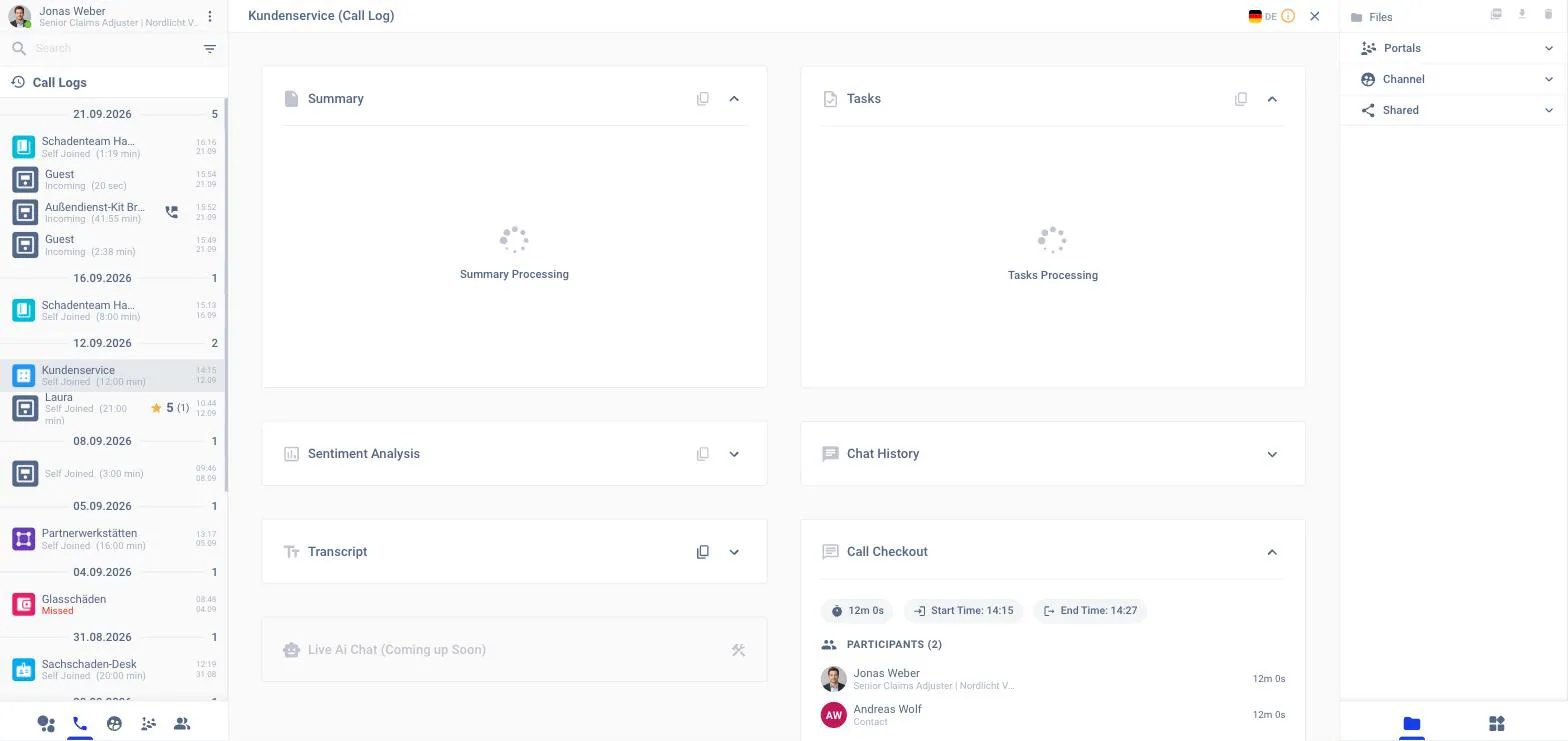
| After the call: phone tab in the left panel → a call | The Call Log view with cards for Summary, Tasks, Sentiment Analysis, Transcript, Chat History and Call Checkout, plus Translate, Send as e-mail and download |
| Home → Call Logs | The latest calls; each opens the Call Log view |
| Contacts → contact → Overview | Conversation summary, sentiment over time, recurring topics |
For customers
| Place | What you see |
|---|---|
| Check-in or in the call | The consent question (when consent is on) |
| In the call: Smart Meet button (sparkle, bottom left) | Spoken Language, Subtitles/CC, Live Audio Translation |
| In the call: under the video | The captions panel, one line per speaker |
| On a device (tablet, kiosk) | The same menu, using the device’s spoken language |
For admins
| Place | What you see |
|---|---|
| Application Setup → Smart Meet | The master switch and the three tabs: Modules, Portals & channels, Data protection |
| Application Setup → Analysis Forms | The forms damage analysis collects |
| Portals → portal → General / Call controls | The portal’s spoken language and the auto-trigger switches for captions and translation |
| Devices → device → General | The device’s spoken language |
| Statistics → Call list → call → SmartMeet | Transcript, Summary, Tasks, Sentiment Analysis for any call |
| Audit Log | Setting changes, consent answers, nightly sweeps |