

Your profile
Your name, avatar, personal channel link, languages and availability — edit these in your account settings.
Once you sign in, everything in Sonar happens in one place. This page orients you to the workspace so the rest of the guides make sense.
Signing in lands you on your home dashboard — a snapshot of your day. The two prominent actions, Plan Meeting and Create Channel, start a scheduled meeting or a new conversation.
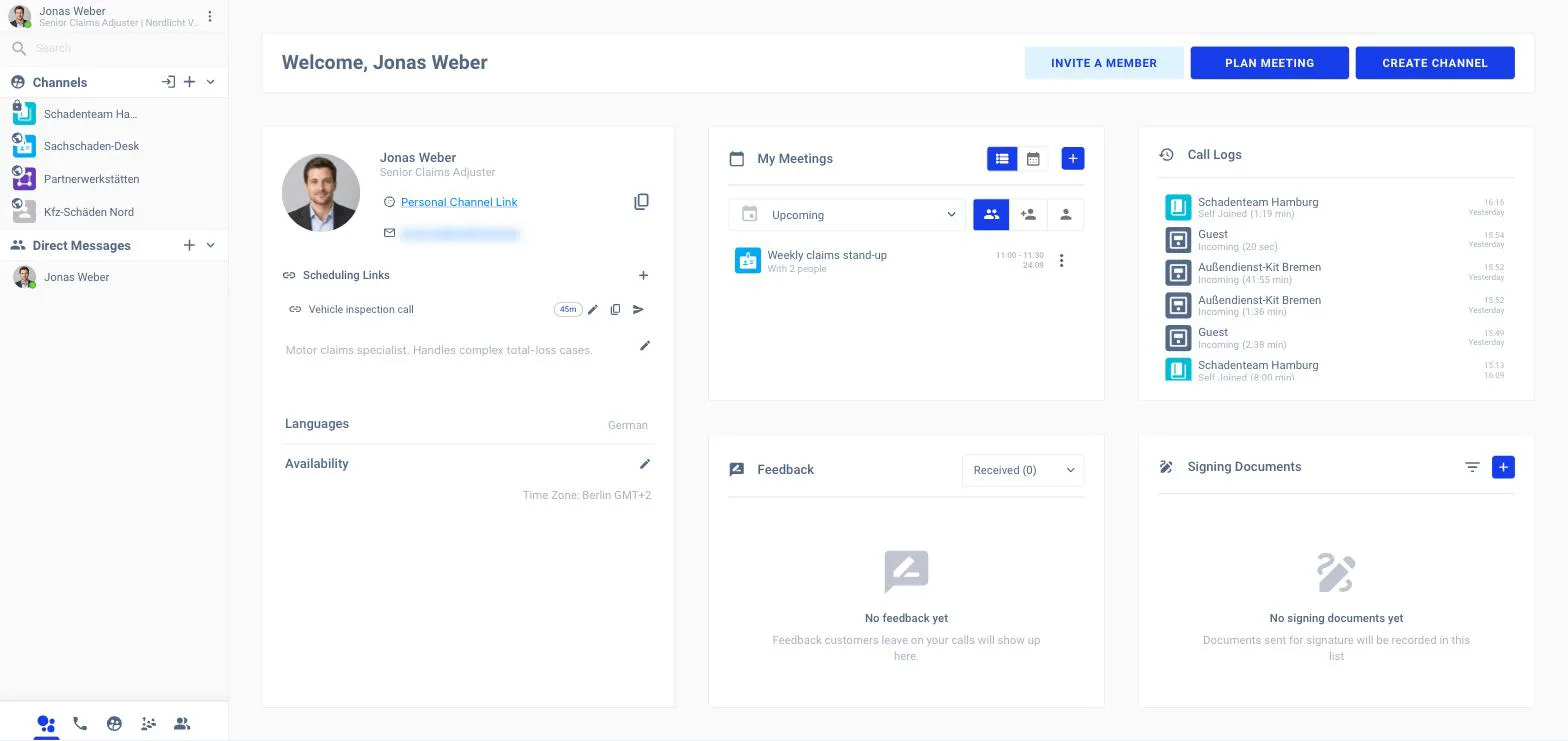
The dashboard panels are:
Your profile
Your name, avatar, personal channel link, languages and availability — edit these in your account settings.
My Meetings
Your upcoming and past meetings, with a quick way to plan a new one.
Call Logs
Your recent calls, with direction and duration.
Notifications
The latest activity that needs your attention.
The left column is where you move between conversations and calls. From top to bottom: your profile and status, a search box with a date filter, your Channels, your Direct Messages, and a row of tabs along the bottom.
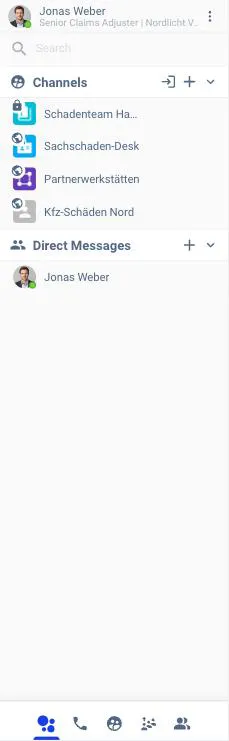
The icons along the bottom switch what the left panel shows:
| Tab | Shows |
|---|---|
| All | Your channels and contacts together |
| Call Logs | Your call history |
| Channels | Your channels (create or join one) |
| Portal Calls | Customers waiting in your portals / queues |
| Contacts | Your direct-message contacts |
When you open a conversation or join a call, a panel opens on the right for the session chat, the in-call chat, and the shared whiteboard. You’ll see this in the calls and messaging guides.